

6장 Raspberry Pi 개요
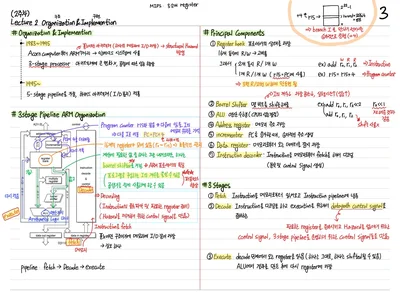
Raspberry Pi는 Broadcom SoC 기반의 저가/저전력 싱글보드 컴퓨터로, 임베디드 시스템 교육 및 프로토타이핑에 널리 쓰인다. ARM 아키텍처, Linux OS, shell command, file system, process 관리까지 실습 중심으로 다룬다.
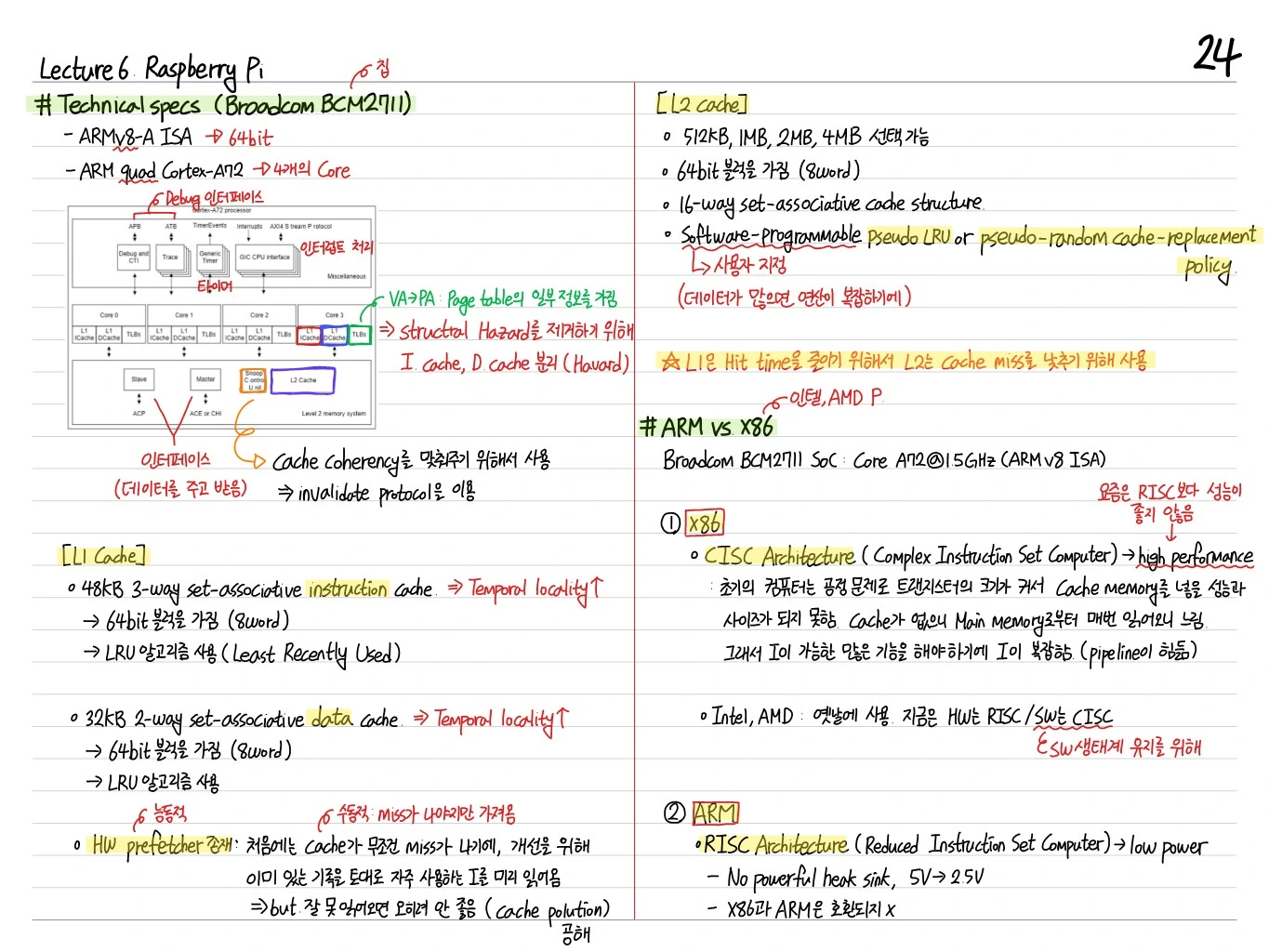
Raspberry Pi Technical Specs
- APU: Broadcom BCM2711 기반 SoC
- Cache coherency 유지 (controller 사용)
- Multi-core (4 core) — ARM Cortex-A72 계열
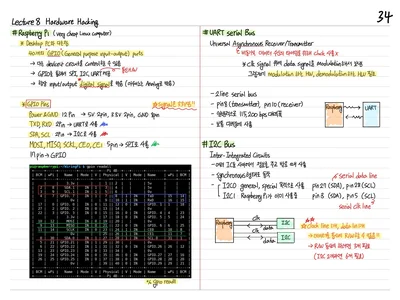
- GPU, GPIO, UART, SPI, I2C 등 peripheral 내장
L1 Cache
- 2-way set-associative instruction cache (→ Temporal locality?)
- 4-way set-associative data cache (→ Temporal locality?)
- Line size 보통 64B
Per Partition Size
ARM big.LITTLE 구조에서는 partition 별로 pipeline/cache 설정이 다름. 각 코어는 pipeline 깊이에 따라 속도/전력이 다르게 설계.
L2 Cache
- 512KB, 1MB, 2MB, 4MB 계열 중 선택
- N-way set-associative data & instruction cache
- Software programmable (shared cache, replacement policy 조정 가능)
ARM vs x86
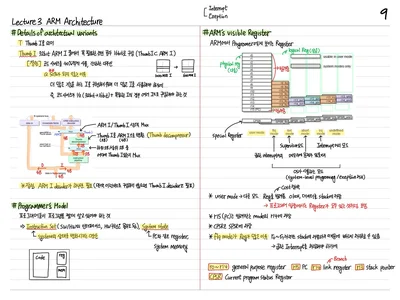
- Broadcom BCM2711 SoC — ARM Architecture (ARM v7/v8)
- CISC Architecture (Complex Instruction Set Computer): high performance
- 한 instruction에 많은 일을 수행 가능 (multi-cycle)
- Intel, AMD, x86 계열
- RISC Architecture (Reduced Instruction Set Computer): low power
- 단순한 instruction, pipeline 효율 ↑
- ARM, ARM v7, ARM v8
→ Raspberry Pi는 ARM Cortex-A 계열 → RISC 기반.
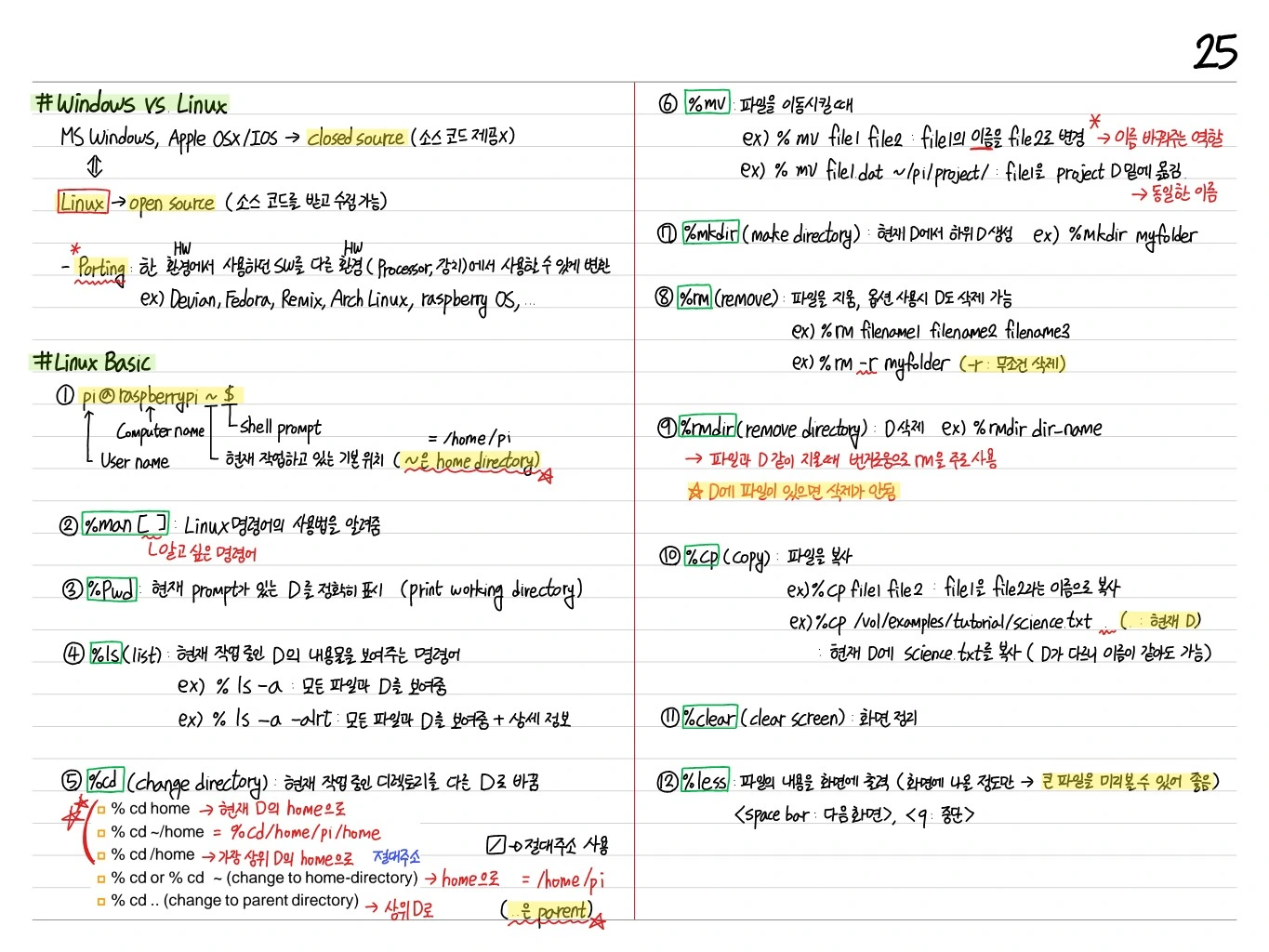
Windows vs Linux
- Windows: MS Windows, Apple macOS → closed source
- Linux (Raspbian, etc.): 리눅스 커널 기반, open source
- Rasbian, Ubuntu Mate, Arch Linux, Kali Linux 등 주요 distro
Linux Basic — Shell Command
Prompt
pi@raspberry:~ $
pi: usernameraspberry: hostname~: 현재 디렉토리 (home directory)$: user mode (root는#)
주요 명령어
pwd: (print working directory) 현재 dir 표시ls: list — 현재 dir의 파일/폴더 목록cd: change directorycd /etc— 절대경로cd ~— homecd ..— parent directorycd -— 이전 디렉토리mkdir: make directory — 빈 folder 생성rmdir: remove directory — 빈 folder 삭제rm: 파일/디렉토리 삭제rm -r(recursive)rm -f(force, no prompt)cp: copymv: move/renameclear: clear screen (Ctrl+L)
Linux Basic — File Commands
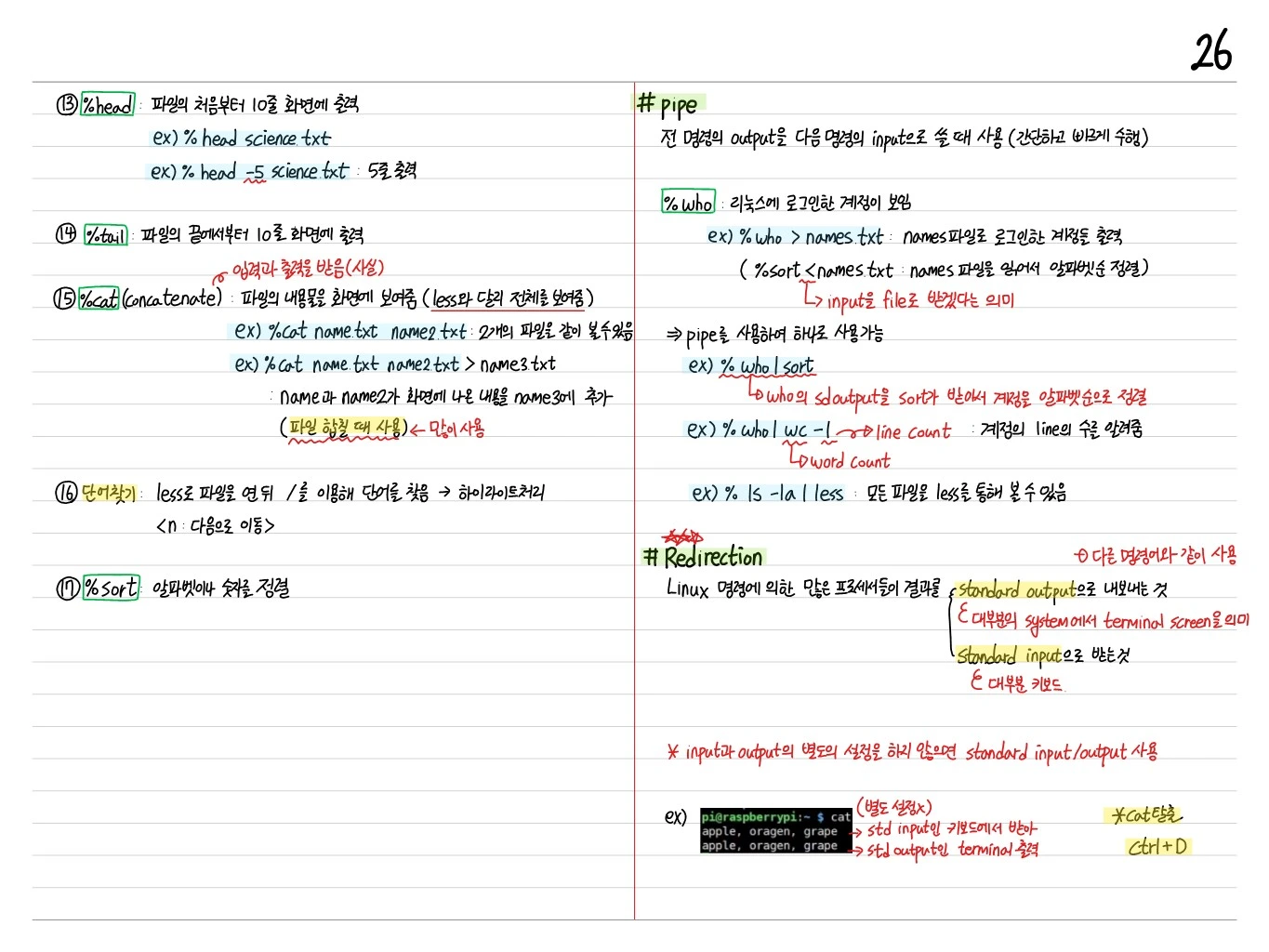
head: 파일의 처음부터 10줄 화면에 출력.head -5 science.txt는 5줄 출력tail: 파일의 끝에서부터 10줄 화면에 출력cat(concatenate): 파일의 내용을 화면에 보여줌cat name.txt/cat name1.txt name2.txt(두 파일 연결 보기)cat name.txt name2.txt > name3.txt— name3에 추가 (파일 합칠 때 사용)less: 파일을 연 뒤/을 이용해 단어 찾음 → 하이라이트 처리.n다음으로 이동sort: 알파벳, 숫자 정렬
Pipe
전 명령의 output을 다음 명령의 input으로 쓸 때 사용 (간단하고 빠르게 수행).
who: 리눅스에 로그인한 계정이 보임who > names.txt: names 파일로 로그인한 계정을 출력sort < names.txt: names 파일을 읽어서 알파벳순 정렬 (input을 file로 받겠다는 의미)
⇒ pipe를 사용하여 하나로 사용 가능
who | sort: who의 stdout을 sort가 받아서 계정을 알파벳순으로 정렬who | wc -l: 계정의 line 수를 알려줌ls -la | less: 모든 파일을 less를 통해 볼 수 있음
Redirection
Linux 명령에 의한 많은 프로세서들의 결과를:
- Standard output으로 내보내는 것 (대부분의 system에서 terminal screen을 의미)
- Standard input으로 받는 것 (대부분 키보드)
→ Input과 output의 별도의 설정을 하지 않으면 standard input/output 사용.
예: cat에 Ctrl+D로 종료.
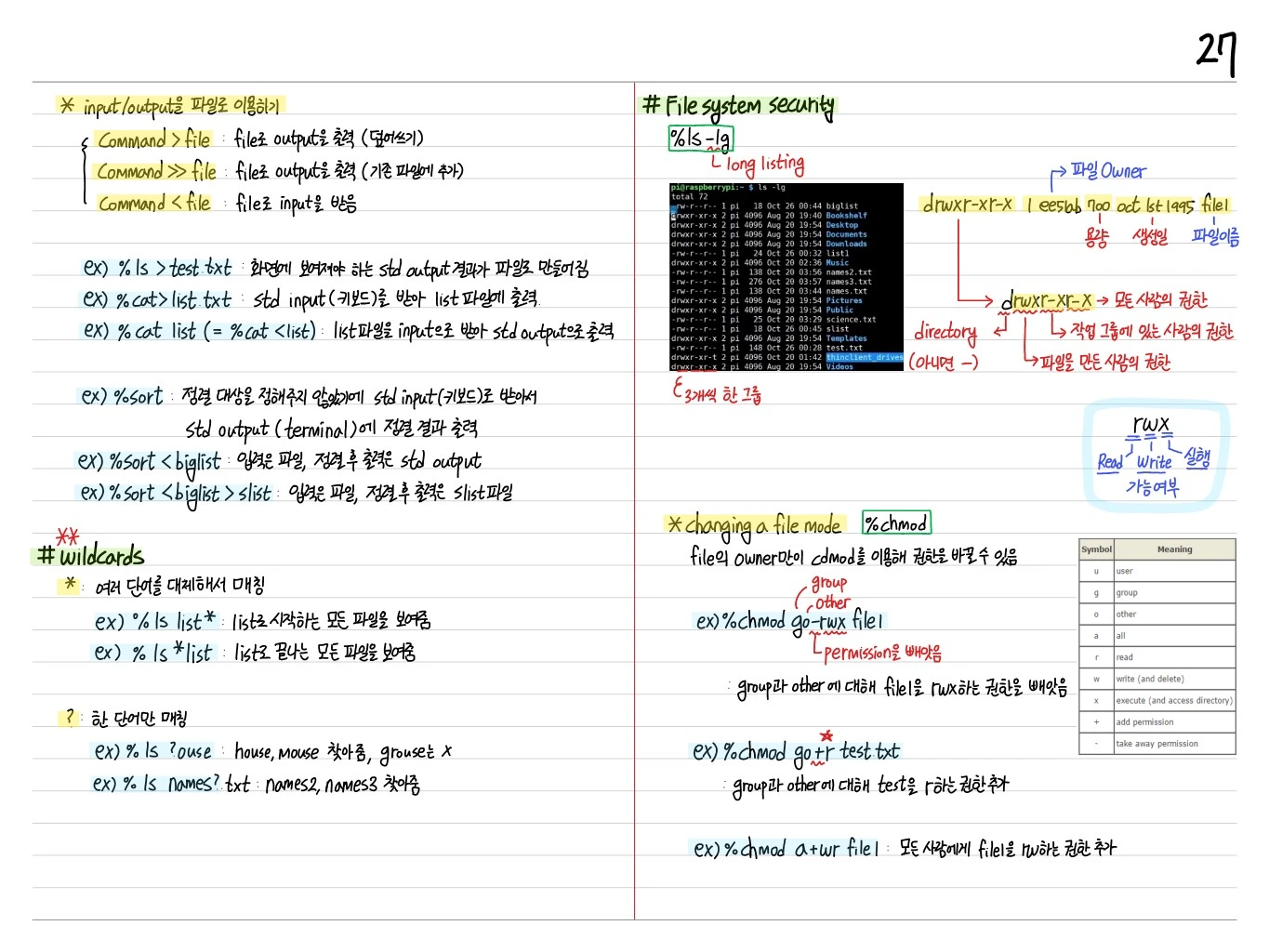
Wildcard
특정 명령어의 인자로 파일 이름을 넘길 때, 패턴 매칭을 활용:
*: 0개 이상의 문자?: 한 개 문자[abc]: a 또는 b 또는 c[!abc]: a, b, c가 아닌 것
File System Security
chmod / 권한
Unix의 파일 권한은 owner, group, other에 대한 rwx (read, write, execute).
-rwxr-xr-- 1 pi pi 1234 ...
 │└┬┘└┬┘└┬┘
 │ │  │  └ other의 권한 (r--)
 │ │  └── group의 권한 (r-x)
 │ └───── owner의 권한 (rwx)
 └─ 파일 type (- = regular file, d = directory)
chmod 숫자 방식
- 4: read (r)
- 2: write (w)
- 1: execute (x)
- 7 = rwx
예: chmod 755 file → owner=rwx, group=rx, other=rx.
Changing a File's Mode
chmod(change mode)chown(change owner)chgrp(change group)
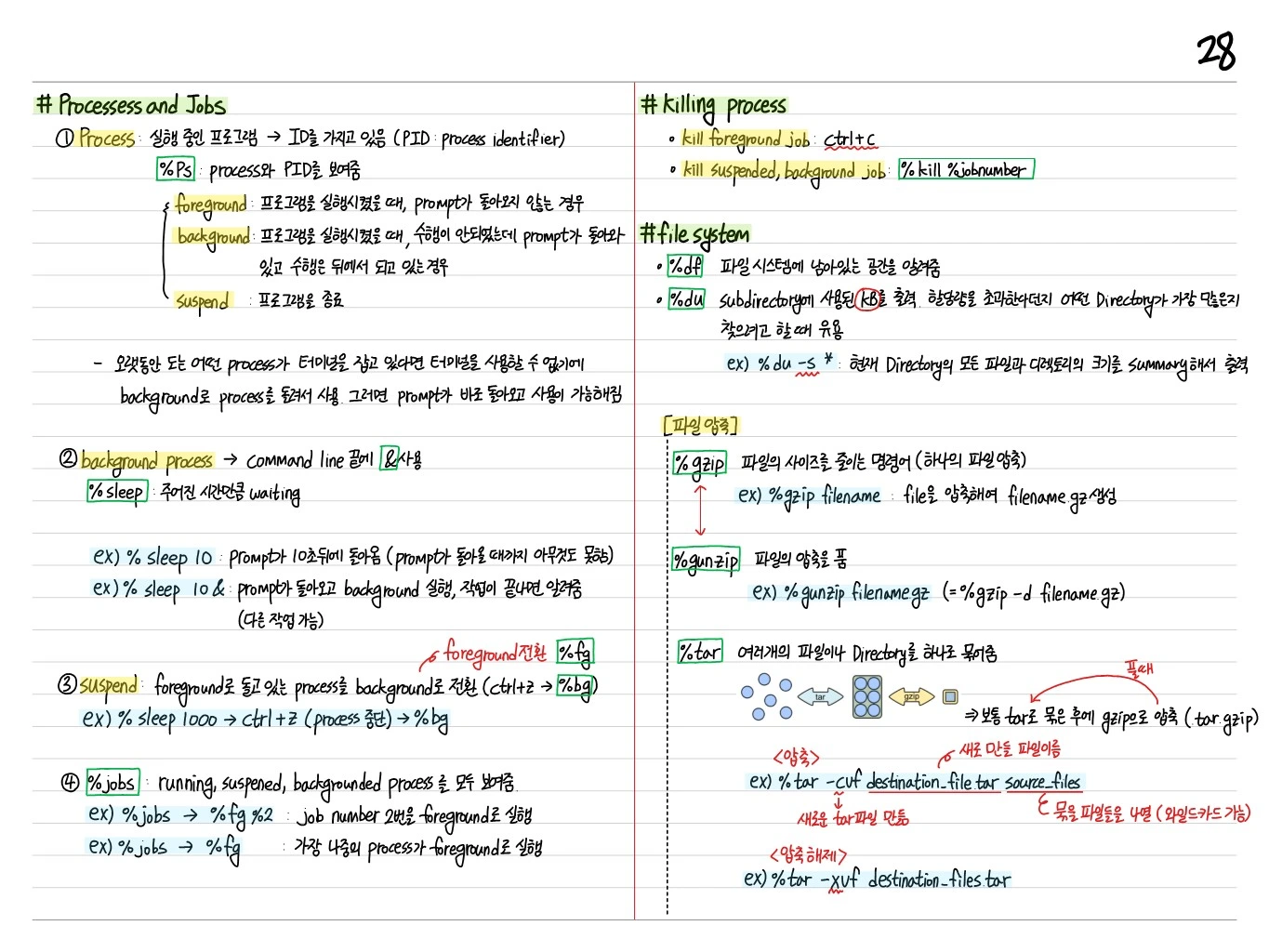
Processes and Jobs
Processes
- Foreground: 현재 실행 중이며 사용자 입력을 받는 process (prompt를 점유)
- Background:
&로 실행, prompt 반환 후 백그라운드에서 계속 실행 - Suspended: 일시 정지됨 (Ctrl+Z)
Job 관련 명령
&: 명령 뒤에&를 붙여 backgroud로 실행ps: 현재 실행 중인 process 목록jobs: 현재 background/suspended job 목록fg %n: job n번을 foreground로bg %n: job n번을 background로kill %n/kill PID: job/process 종료
Signals
Ctrl+C: SIGINT (interrupt) — foreground process 종료Ctrl+Z: SIGTSTP (suspend)
Killing a Process
kill PID: SIGTERM (정상 종료 요청)kill -9 PID: SIGKILL (강제 종료)
File System 종류
- ext2: 기본 Linux filesystem
- ext3/ext4: journaling 지원, 현대 표준
- NTFS: Windows native
- FAT32/exFAT: 호환성, USB
- btrfs, xfs: 고급 기능
File Types
- Regular file
- Directory
- Symbolic link
- Block/character device
- Socket / pipe
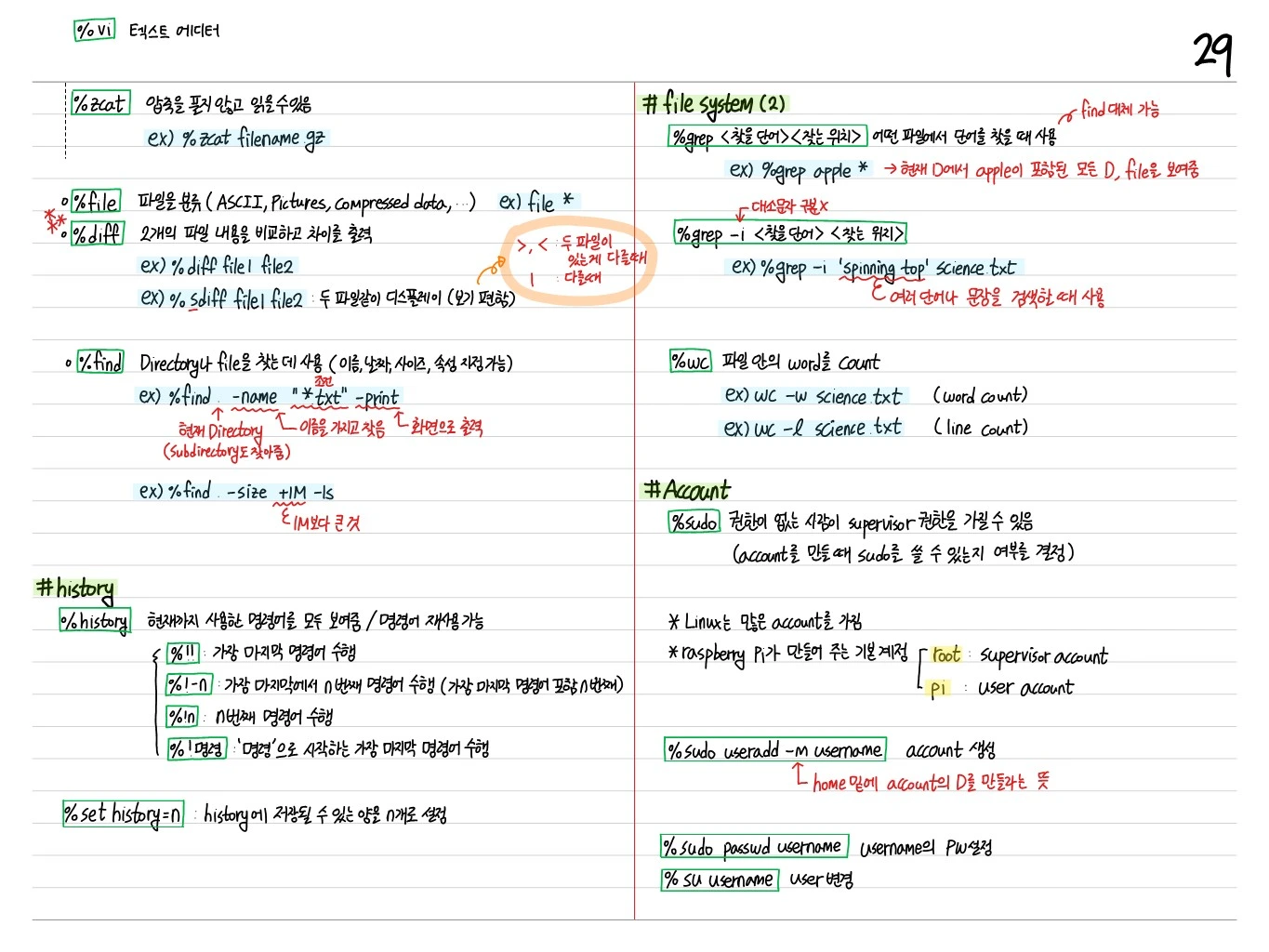
sudo 권한
sudo: 일시적으로 superuser 권한 획득su: switch user/etc/sudoers파일로 sudo 권한 관리
Account
/etc/passwd: 사용자 정보/etc/shadow: 암호 hash/etc/group: group 정보
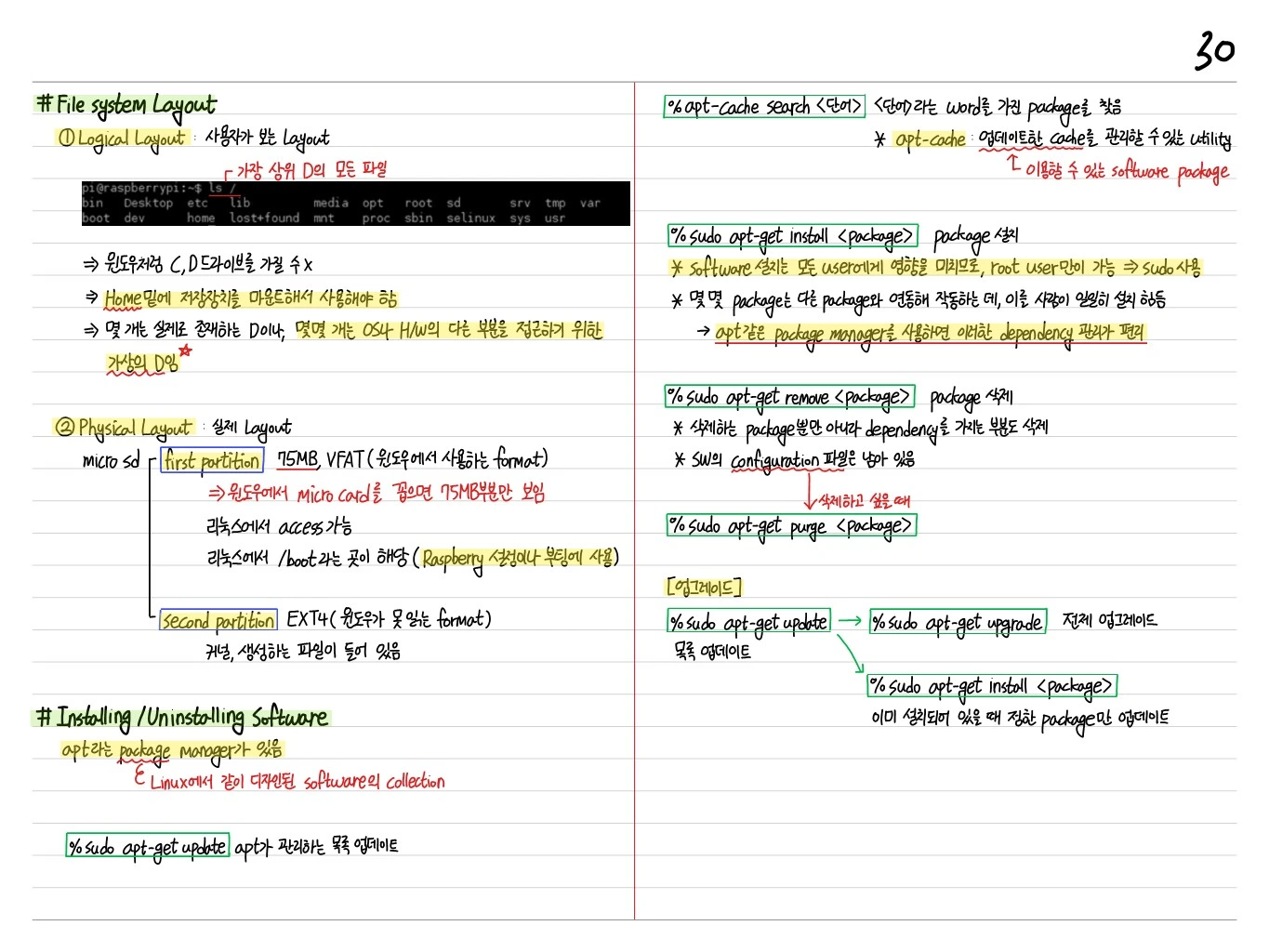
File System Layout
Logical Layout
/: root/home/<username>: 사용자 홈 디렉토리/etc: 설정 파일/var: 로그, 가변 데이터/usr: 응용 프로그램, 라이브러리/bin,/sbin: 필수 실행 파일/dev: 디바이스 파일/proc,/sys: 가상 파일시스템 (커널 정보)/mnt,/media: 마운트 지점
Physical Layout
- Boot partition: FAT, kernel 이미지, boot loader → Raspberry Pi에서는 필수
- Root partition: ext4 (대부분의 시스템 파일)
- Swap partition: Swap 영역 (보조 메모리)
Installing/Uninstalling Software
Raspberry Pi package manager: apt (Advanced Package Tool).
apt-get install <package>: installapt-get update: package 목록 updateapt-get upgrade: 설치된 package upgradeapt-get remove <package>: uninstallapt-get purge <package>: 설정 파일까지 제거dpkg -i <file>.deb: 로컬 .deb 파일 설치
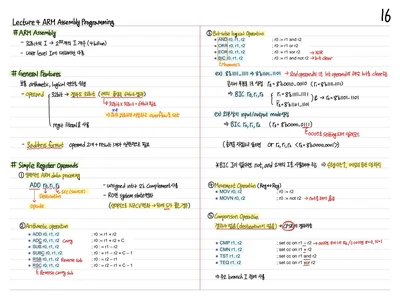
 Embedded Note
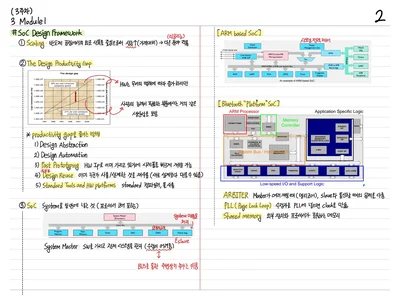
 SoC Note
Comments (0)
No comments yet. Be the first to comment!
댓글을 쓰려면 하세요.